
Close
Connect Close, choose the default sync behavior, and map Aura lifecycle events to your Close pipeline stages
Close
Connect Close to keep people, calls, and opportunities current without manual CRM updates.
Aura creates or matches people in Close, adds booking and call activity, and can move the related Close opportunity when an Aura event occurs. Updates made to contacts in Close can also flow back into Aura.
Can Aura move an opportunity in Close?
Yes. Open Pipeline mapping and choose the Close pipeline stage that corresponds to each Aura lifecycle event.
Pipeline mapping
Every Opportunities column can be mapped: Interested, Disqualified, Qualified, Booked Call, Confirmed Call, Declined, Cancelled, Completed, Bad Fit, No Show, Follow-up Required, Lost and Won.
Choose a stage for each column Aura should manage. You can send several columns to the same stage, or leave any column unmapped. Save the mapping to apply your choices. Clearing a row stops stage changes from that source after you save. A save applies to future transitions and does not move historical records.
Aura checks the current Opportunities column when a queued update runs. An older outcome does not move a lead out of a newer booking. A booking can change column when its start time passes, and attendance can move it to Completed before the final outcome is recorded.
On the Default sync tab, Pipeline stages has three choices:
- Each switch decides: Lead capture, Call booking and Won / lost outcome each move their own columns.
- Move the stages I mapped: every column you mapped moves.
- Don't move any stages: no stage moves.
Contact updates, booking activity and notes have separate controls. Choosing a mapping does not turn those controls on.
Close also keeps Lead captured and Rescheduled as additional event mappings. Lead captured can apply while the board is Interested and its mapping is empty. Rescheduled can apply while the board is Booked Call and its mapping is empty. To stop those movements, clear both the board row and its additional event row, or set Pipeline stages to Don't move any stages.
Completed is the Opportunities column. The Completed call log switch controls the separate Close call activity.
Aura reads the pipelines and stages that already exist in Close. It does not create, rename, or delete your Close pipeline stages.
Connect Close
You must be an Aura organization admin.
- Go to Settings and select Integrations.
- Open Close.
- Select Connect Close.
- Sign in to Close and choose the organization you want to connect.
- Approve access for Aura.
Aura returns you to the integration page, registers the inbound webhook, and reads your current Close pipeline metadata.
Configure the integration
The connected integration has four tabs: Default sync, Pipeline mapping, Owner mapping and Consent fields. This page covers Default sync and Pipeline mapping here, and Consent fields under Consent in Close.
1. Default sync
Default sync has one switch for each thing Aura sends to Close or takes back from Close. When a switch is on, Aura does that job. When it is off, Aura does not. Each switch saves as soon as you change it.
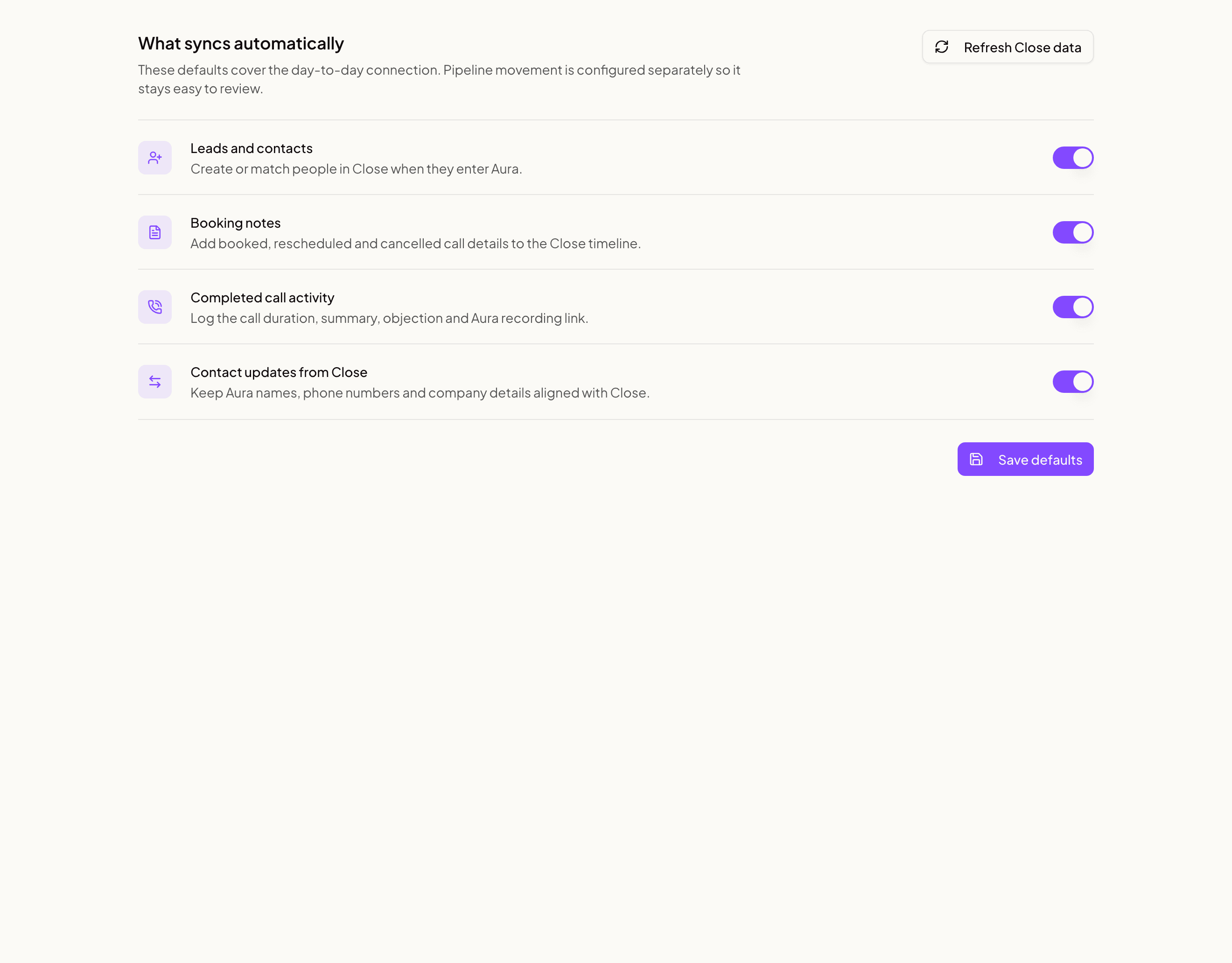
| Switch | What it does when it is on |
|---|---|
| Lead notes | Adds notes written in Aura to the Close lead |
| Lead capture | Creates or matches the Close lead and contact |
| Call booking | Adds a note when a call is booked, moved or cancelled |
| Completed call log | Logs the finished call on the Close lead |
| Won / lost outcome | Adds a note with the result when a call is won or lost |
| Contact edits | Copies phone changes from Close contacts into Aura |
| Lead edits | Copies the company name from Close leads into Aura |
| Won / lost from Close | Sets the outcome on the Aura call when a rep marks a deal won or lost in Close |
Pipeline stages decides which of these can also move your Close opportunities. Where they move is set on the Pipeline mapping tab.
Select Refresh Close settings after you add or rename pipeline stages in Close. This reloads the pipelines and stages for the Pipeline mapping tab.
2. Pipeline mapping
Use Pipeline mapping to control opportunity movement.
- Find the Aura event in the left column.
- Select the corresponding Close pipeline and stage in the right column.
- Repeat for every event Aura should manage.
- Select Save pipeline mapping.
The state column shows whether each event is mapped. Unmapped events do not move a Close opportunity.
Clear mappings changes every row to Do not sync. The change is not applied until you save.
Recommended first configuration
For most sales teams:
- Turn on the Default sync switches for what you want Aura to send.
- Map Interested, Qualified, and Disqualified to their matching Close stages.
- Map Booked Call to the stage where a newly booked sales call belongs.
- Map Won to the Close won stage.
- Map Lost to the Close lost stage.
- Map Lead captured, Rescheduled, and Cancelled only when those events should move the opportunity in your process.
This gives Aura authority over the opportunity events you explicitly map while leaving every other pipeline movement to your team in Close.
What Aura writes
| Aura event | Close behavior |
|---|---|
| Lead captured, interested, qualified, or disqualified | Creates or matches the Close Lead and Contact |
| Genuine call booked, rescheduled, or cancelled | Adds a timeline note when Call booking is on |
| Call completed | Adds a Call activity when Completed call log is on |
| Any mapped Opportunities column | Creates or moves one linked opportunity when stage sync permits it |
| Contact or lead edited in Close | Updates supported Aura fields when Contact edits or Lead edits is on |
Aura first looks for an existing linked Close record. If no link exists, it matches by email and then phone before creating a new record. This reduces duplicates when someone registers and books with different email addresses.
What Aura preserves
Aura does not replace existing contact email or phone lists. It adds newly learned values. It also preserves unsubscribe state and fields that Aura does not own. Aura never changes Close's own unsubscribe setting (is_unsubscribed), even when someone replies STOP to an Aura text.
Pipeline movement is explicit. If an Aura event is set to Do not sync, Aura leaves the Close opportunity stage alone.
Aura keeps one pre-booking Close opportunity for the lead as it advances. A mapping does not create a new deal at every lead stage. The first genuine booking inherits that opportunity so later Won and Lost mappings continue moving the original deal. If the same person books again, Aura moves that same opportunity to the booked stage instead of making a new one. Aura starts a new opportunity only when the last one is already won or lost, in Close or in Aura, so it never reopens a closed deal. An opportunity your team made by hand is never changed.
Booking and duplicate protection
Aura stores pre-booking form and session progress as intent records. Those records are not booked calls and do not enter the booked-call note or opportunity flow. A separately mapped lead column can create a pre-booking opportunity. Only a record whose Aura call kind is booking can enter the Close booking flow.
Aura uses the call kind rather than checking whether closer or deal value is present. This preserves legitimate free or temporarily unassigned bookings while blocking form-only placeholder records.
The hourly repair job uses the same booking-only rule. It cannot sweep pre-booking intent records into Close as missed bookings. Aura also continuously checks for any intent record carrying a Close scheduler and reports that as a critical integration invariant.
Attribution in Close
When Aura creates or updates a linked Close lead, the managed Aura · Source field receives the lead's Aura acquisition source, such as Meta or Referral. If Aura has no acquisition source, the field falls back to Aura. Aura also stamps Aura · Record ID and Aura · Last Synced At when those managed fields are active.
A lead created only in Close is not automatically created in Aura. Unlinked Close leads are recorded for audit only, so Aura does not invent acquisition attribution for them. Updates from a linked Close lead can change supported identity fields but do not overwrite the lead's Aura attribution.
Consent in Close
Your booking form can ask people to agree to things, like reminder texts or offers by email. Aura sends their answers to Close, so your team can check them before texting or emailing. Aura always sends the phone number too, whatever the answers are.
To get one answer per kind of message, give each of your consent boxes a type first. See Privacy & consent.
Aura's consent fields on the contact
Aura adds these fields to your Close contacts and fills them in. Each answer field is a Choices field with the choices Yes, No and Not asked.
| Close field | What it says |
|---|---|
| Aura · Booking texts | Did they agree to texts about their booked call? |
| Aura · Marketing texts | Did they agree to offers and promotions by text? |
| Aura · Marketing emails | Did they agree to offers and newsletters by email? |
| Aura · Data use | Did they agree to your privacy policy? |
Each one has a date field beside it, such as Aura · Booking texts date. It shows when that answer last changed. It is empty when the answer is Not asked.
- Yes means they ticked the box. For texts, Yes counts only for the phone number they agreed with.
- No means they left the box unticked, or agreed and later took it back.
- Not asked means Aura has no answer of that type from them. Treat it like a no.
If someone replies STOP to an Aura text, Aura · Booking texts turns to No, dated to their reply. This happens when their booking page shows Aura's own box for appointment texts. A START reply turns it back to Yes.
Aura adds these fields after you connect Close. Connections made before then get them within about an hour. If you delete one of these fields in Close, Aura doesn't add it back.
Aura also keeps the full record on the lead: the Aura · Consent lead field lists every box, and a note shows the words each person saw and when they chose.
Aura updates consent in Close while at least one Default sync switch that sends to Close is on.
Put answers in your own Close fields
Close's A2P 10DLC guide asks you to keep text consent in two contact fields of your own: one for transactional texts and one for promotional texts. Each is a Choices field with Yes and No. Aura can fill them in for you.
- In Aura, go to Settings, then Integrations, and open Close. Select the Consent fields tab.
- Under Consent types, find Booking texts. Pick your transactional texts field.
- Find Marketing texts. Pick your promotional texts field.
- Select Save consent fields.
Aura then fills in those fields for leads already in Close, and keeps them up to date. You can map Marketing emails and Data use the same way. Under Consent boxes, you can also map one box at a time.
Things to know:
- The list shows only text fields, and Choices fields that have both Yes and No. These can be lead or contact fields.
- Aura replaces what is in each field you pick.
- If a Choices field has no Not asked choice, Aura leaves the field as it is while the answer is Not asked. It writes again once there is a Yes or a No.
- If a Choices field later loses its Yes or No choice, Aura can't write that answer. It leaves the field as it is. Add the choice back in Close, then select Refresh Close settings.
- If Close has no field that can hold Yes or No, you see Close has no field that can hold Yes or No. Add one in Close, select Refresh Close settings, then reload the page.
Aura passes the answers to Close. It doesn't stop your team from texting or emailing from Close. Check the answer before you send.
Audit history
Every saved configuration update is written to the Aura audit log with:
- the Aura user who made the change
- the Aura organization
- the Close event that changed
- the resulting configuration revision
A Pipeline mapping save can update several Close events, so it creates one audit entry for each event changed.
Troubleshooting
My Close pipelines or stages are missing
Select Refresh Close settings, then return to Pipeline mapping.
The integration says updates from Close are inactive
Select Sync now. Aura retries the webhook setup and checks the connection. Reconnect Close if the warning remains.
A Close opportunity did not move
Check these items:
- The Aura event is mapped in Pipeline mapping.
- The selected pipeline stage still exists in Close.
- The mapping was saved.
- The Aura call is linked to a Close opportunity.
Aura does not guess a replacement stage when a mapping is missing or points to a stage that no longer exists.
A booking created two Close opportunities
Check whether both Aura records have call kind booking. A second booking reuses the person's open opportunity. It makes a new one only when the earlier opportunity was already won or lost, in Close or in Aura. Aura does not merge extra opportunities that were made before this. The next booking reuses the newest open one. A pre-booking record with call kind intent must not have a Close note or opportunity. If it does, report the Aura call ID so support can inspect the critical integrations.close-intent-never-syncs-as-booking invariant.
The connection is invalid
Select Reconnect and authorize Close again. Stored configuration remains in Aura.